
Every node comes with Nutanix Controller VM (CVM) with a default memory of 48GB. This means every node will be left with only 16GB memory.
16GB is too little for us to do more things in our lab. Therefore, I would reduce CVM memory from 48GB to 16GB. This will allow us to do more in the future blog series where I will show how to run ESXi nested on AHV.
Step 1: Login to the first CVM 192.168.10.11 perform a cluster stop
ssh nutanix@192.168.10.11
cluster stop
Step 2: Login to first host 192.168.10.1
ssh root@192.168.10.1Step 3: Go to virsh mode to find out the CVM name
virsh
list —-all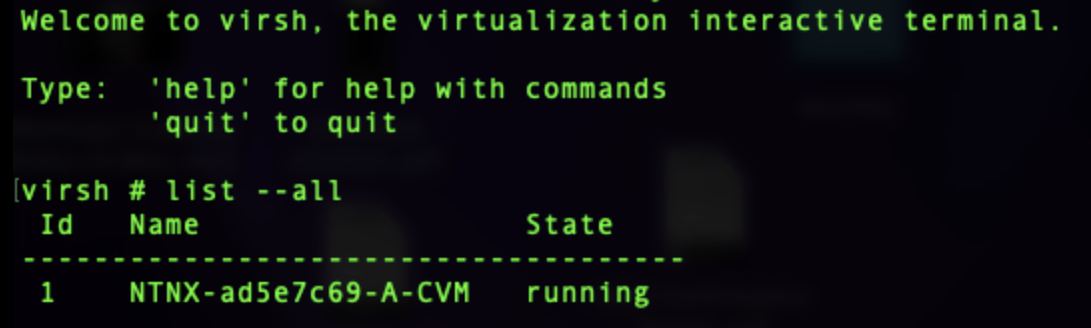
Step 4: Still in virsh mode, perform a shutdown for the CVM
shutdown NTNX-ad5e7c69-A-CVM
Step 5: Check the CVM is shutdown before proceeding to the next step
list —-all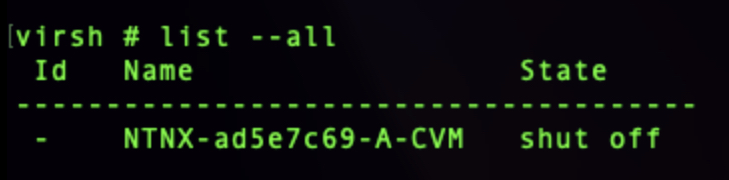
Step 6: Reduce the memory of the CVM to 16GB
setmem NTNX-ad5e7c69-A-CVM 16G —-configStep 7: Set the maximum memory for the CVM as 16GB
setmaxmem NTNX-ad5e7c69-A-CVM 16G —-configStep 8: Start the CVM
start NTNX-ad5e7c69-A-CVMStep 9: Perform virsh list in Step 3 to validate CVM is powered on
Step 10: Repeat Step 2 to Step 9 for the remaining 2 hosts
Step 11: Login to the first CVM 192.168.10.11 to perform a cluster start
ssh nutanix@192.168.10.11
cluster start
Step 12: You should see the following if the cluster is started successfully
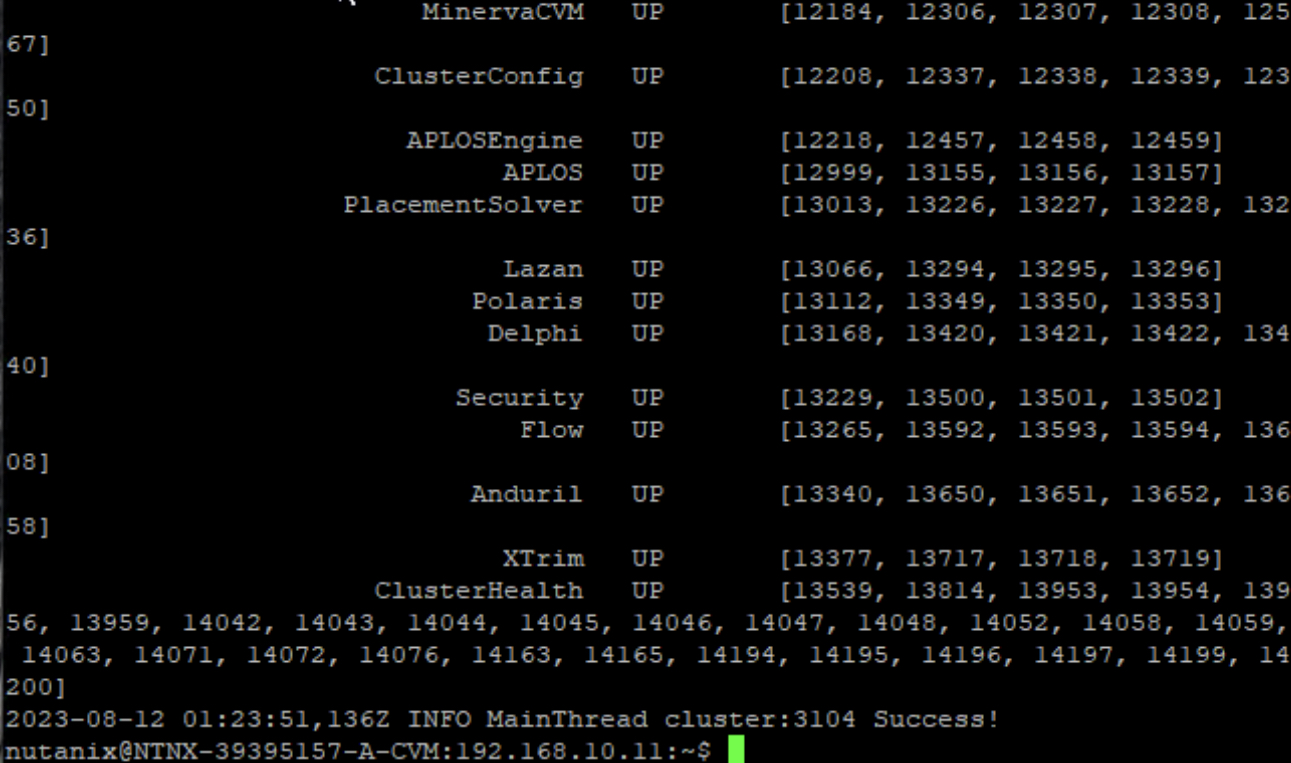
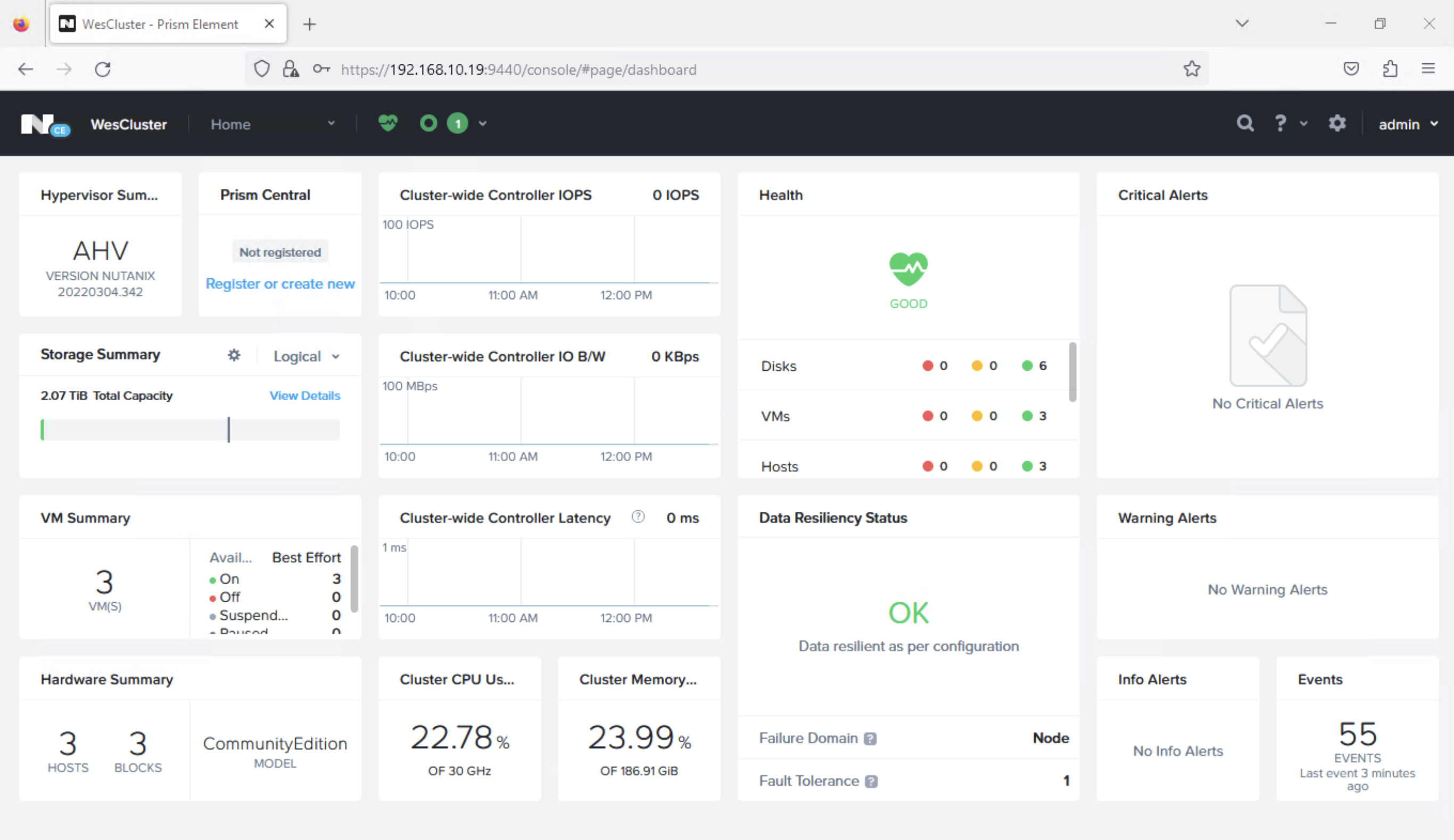
Step 13: Login to the Prism Element Cluster IP to verify its functional
 Wesnovator Solutions
You must be logged in to post a comment.